Voice VLAN
Who can access this feature?
- Partner
- Meter Support
Overview
Voice VLAN is a dedicated VLAN used for VoIP traffic, such as desk phones. Configuring a separate VLAN for voice ensures:
- Traffic prioritization - Voice traffic is more sensitive to latency, and Voice VLAN allows QoS policies to give it priority
- Security and segmentation - Separating voice from data traffic reduces risk and prevents unnecessary congestion
- Simplified management - Phones can be automatically assigned to the Voice VLAN when connected to a port
This article explains how to configure Voice VLAN on a switch and on specific switch ports.
Configuring Voice VLAN on a switch
- Log in to the Dashboard
- Navigate to Hardware > Switches
- Click on the switch where you want to enable Voice VLAN
- Click the Edit option in the top-right corner
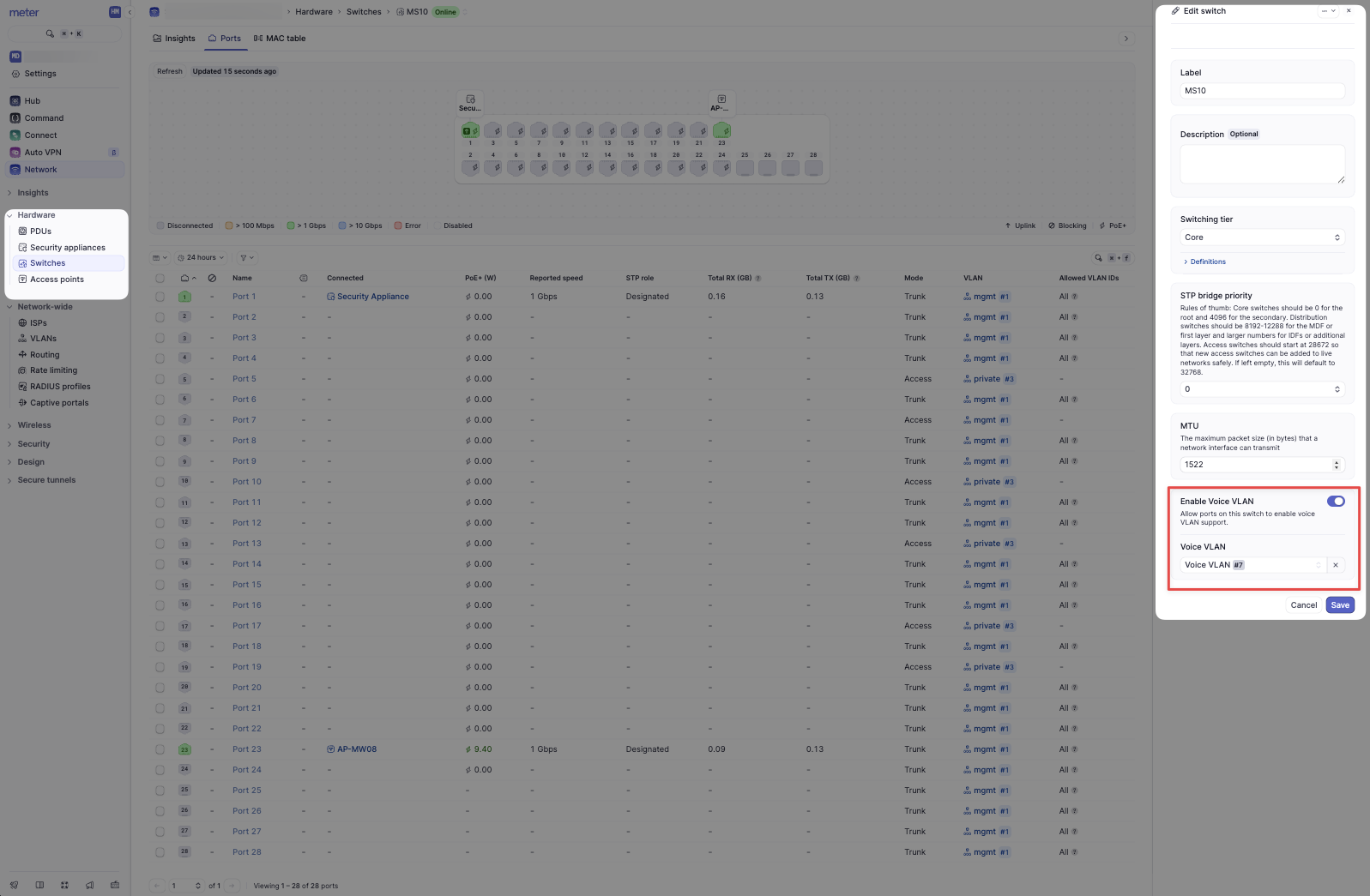
- Toggle on Enable Voice VLAN
- Select the Voice VLAN from the list
- Click Save
Configuring Voice VLAN on switch ports
- Navigate to the Switch > Ports tab where you enabled the Voice VLAN
- Select the port you want to configure and click Edit
- In the Port Edit view, toggle on Enable Voice VLAN
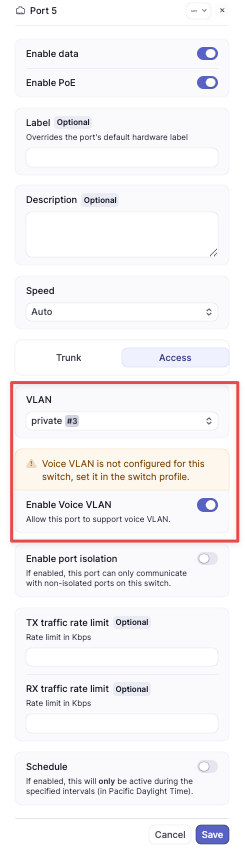
- Important: Do not manually configure the port VLAN as the Voice VLAN
- Why? Voice VLAN is automatically assigned on top of the existing access or trunk configuration. Manually setting the port to the Voice VLAN would prevent data devices (e.g., PCs connected through the phone) from functioning correctly
- Click Save
Best practices
- Always configure Voice VLAN at the switch level first, then enable it on the required ports
- Document which ports have Voice VLAN enabled to ensure easier troubleshooting in the future
Need help?
If you run into any issues or have questions, please reach out to our Support Engineering team by opening a ticket via the Dashboard: https://dashboard.meter.com/support
Last updated by Meter Support Engineering on 01/23/2026