

Who can access this feature?
- Partner
- Company/Network Admins with write and read access
- Meter Support
Overview
To view the access points installed on your network, navigate to Hardware > Access Points. This will bring you to the access points overview page.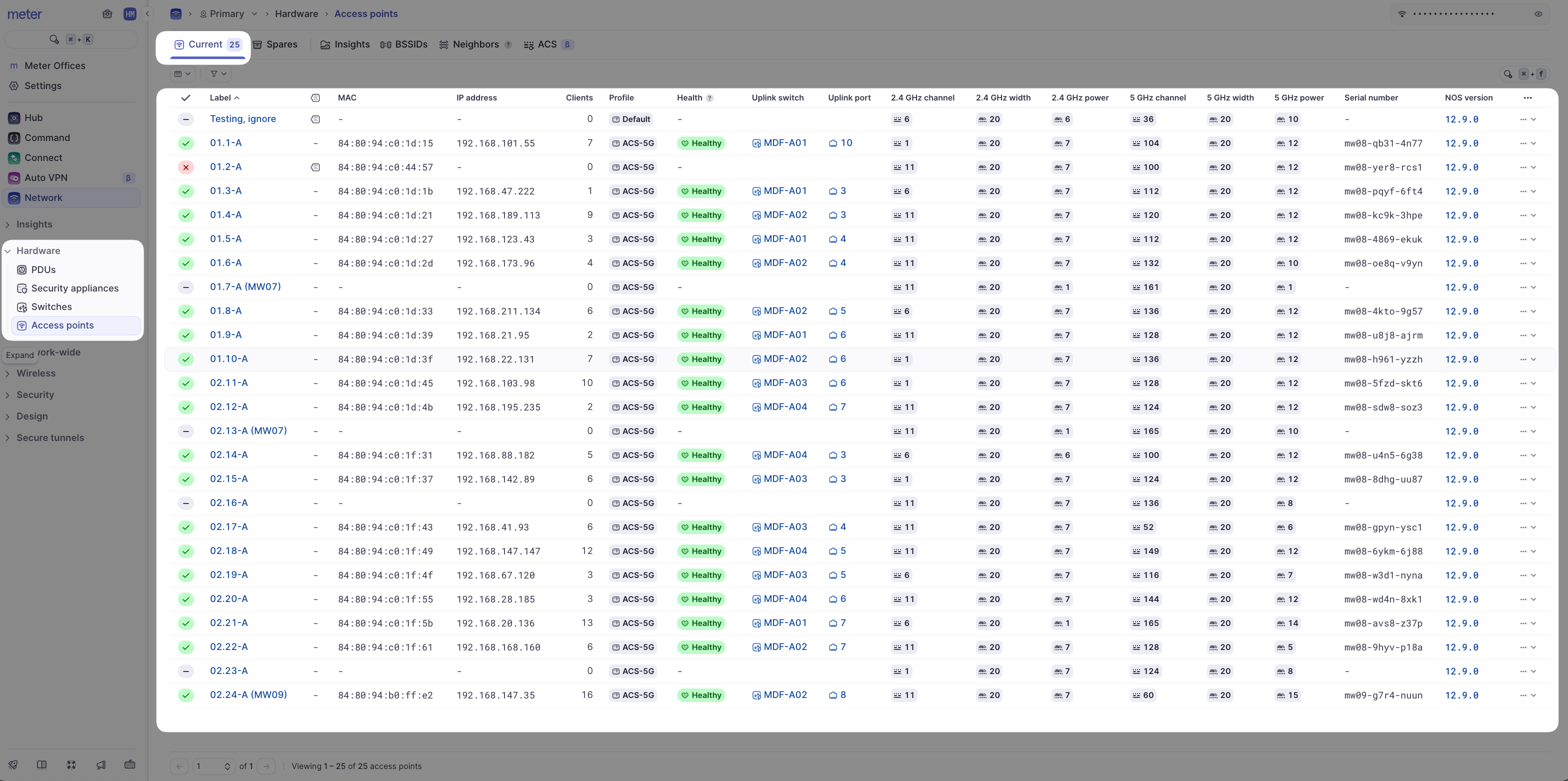
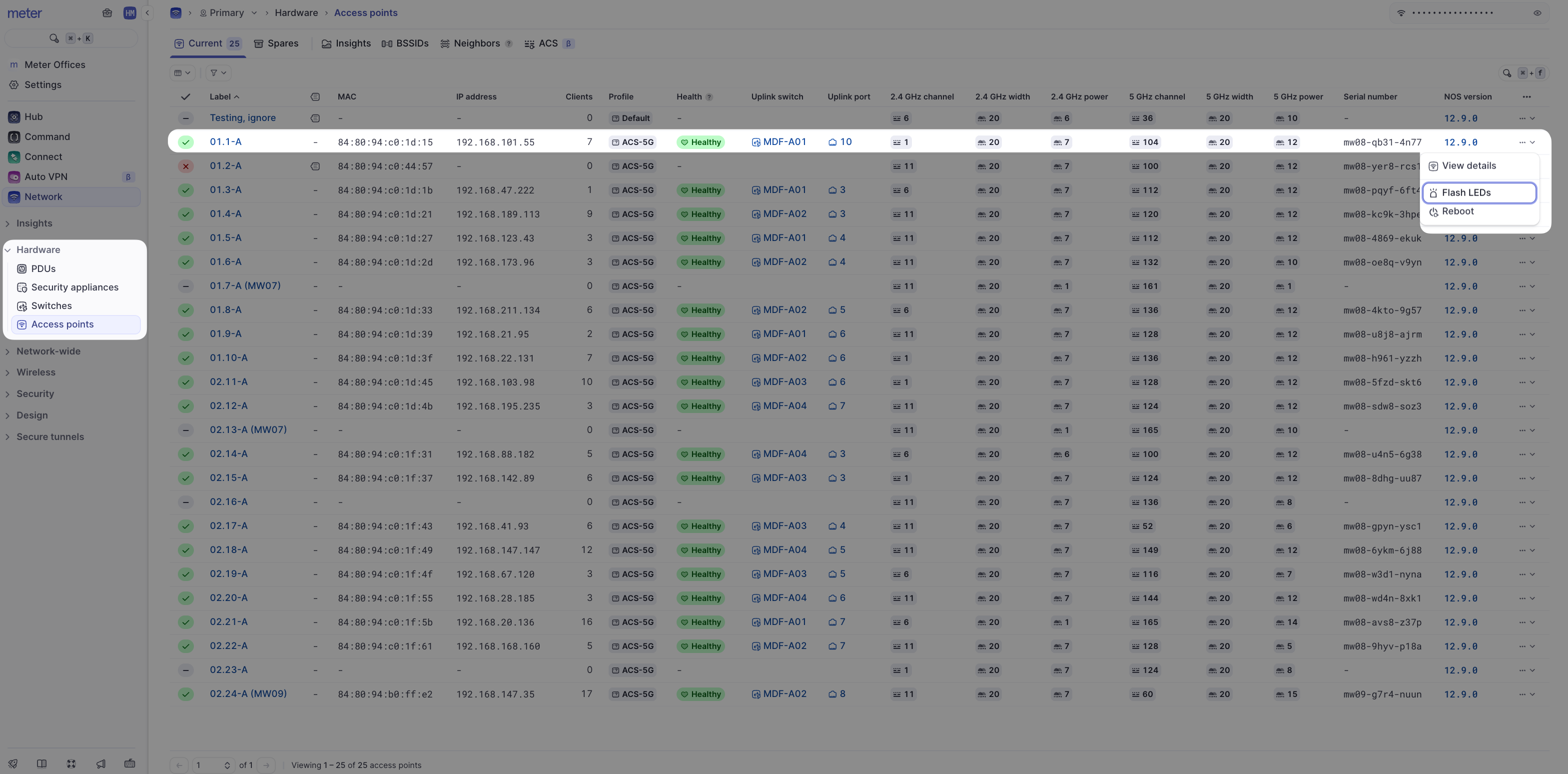
- Flash LEDs - Makes the AP flash its LEDs in unison so that it can be easily located in the space
Related resources
- Insights - View detailed metrics for an access point
- Clients - View clients connected to an access point
- Auto channel selection - Optimize Wi-Fi channels automatically
- Locate an access point - Physically identify an AP using LED flash
Need help?
If you run into any issues or have questions, please reach out to our Support Engineering team by opening a ticket via the Dashboard: https://dashboard.meter.com/supportLast updated by Meter Support Engineering on 01/23/2026