Who can access this feature?
- Partner
- Company/Network Admins with write and read access
- Meter Support
Overview
To view all connection events for a particular access point, open the Insights page and then click Connection events.
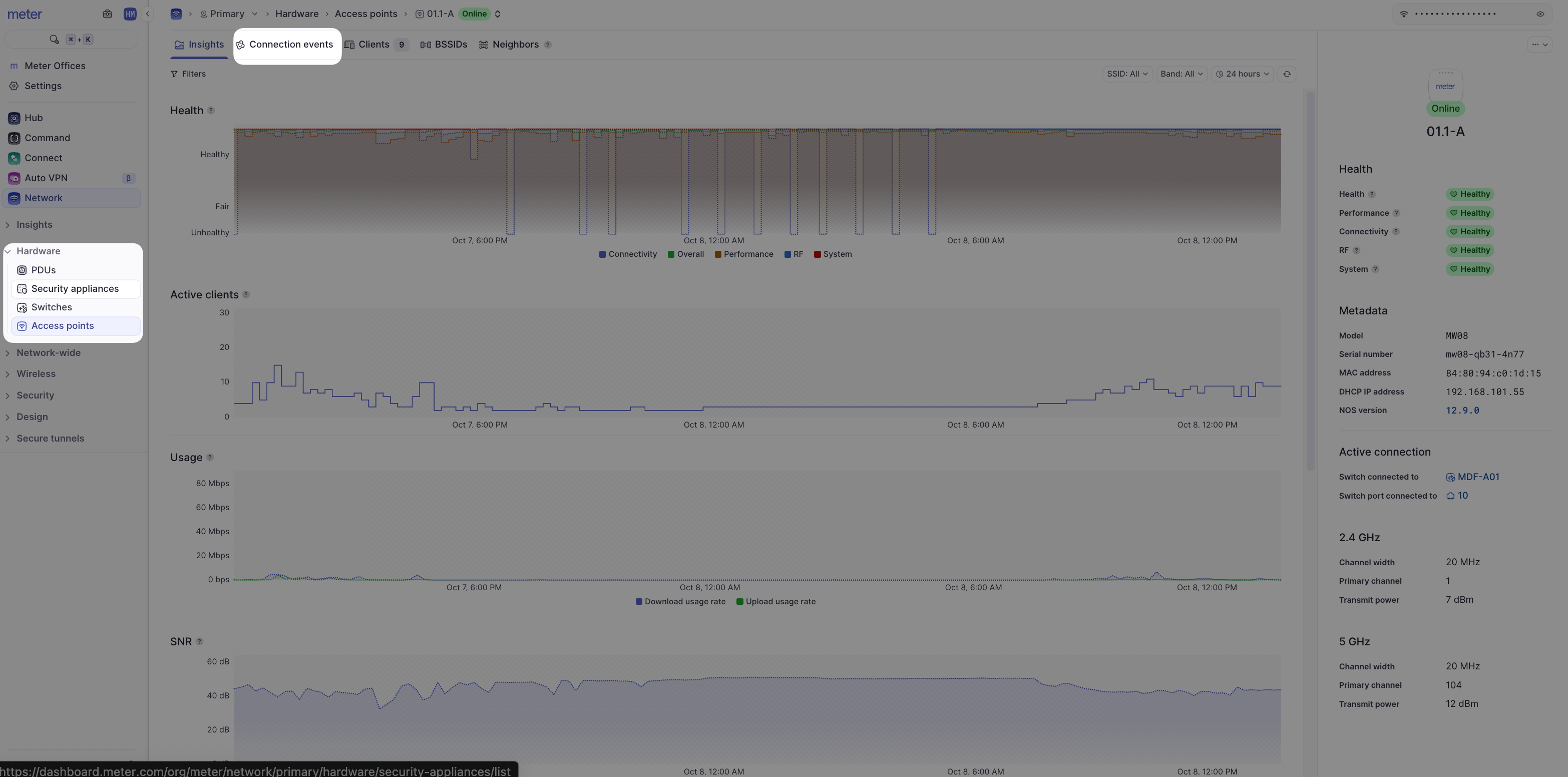
The Connection events page will show information about every client connecting to, disassociating from, roaming to or away from the AP, as well as DHCP information.
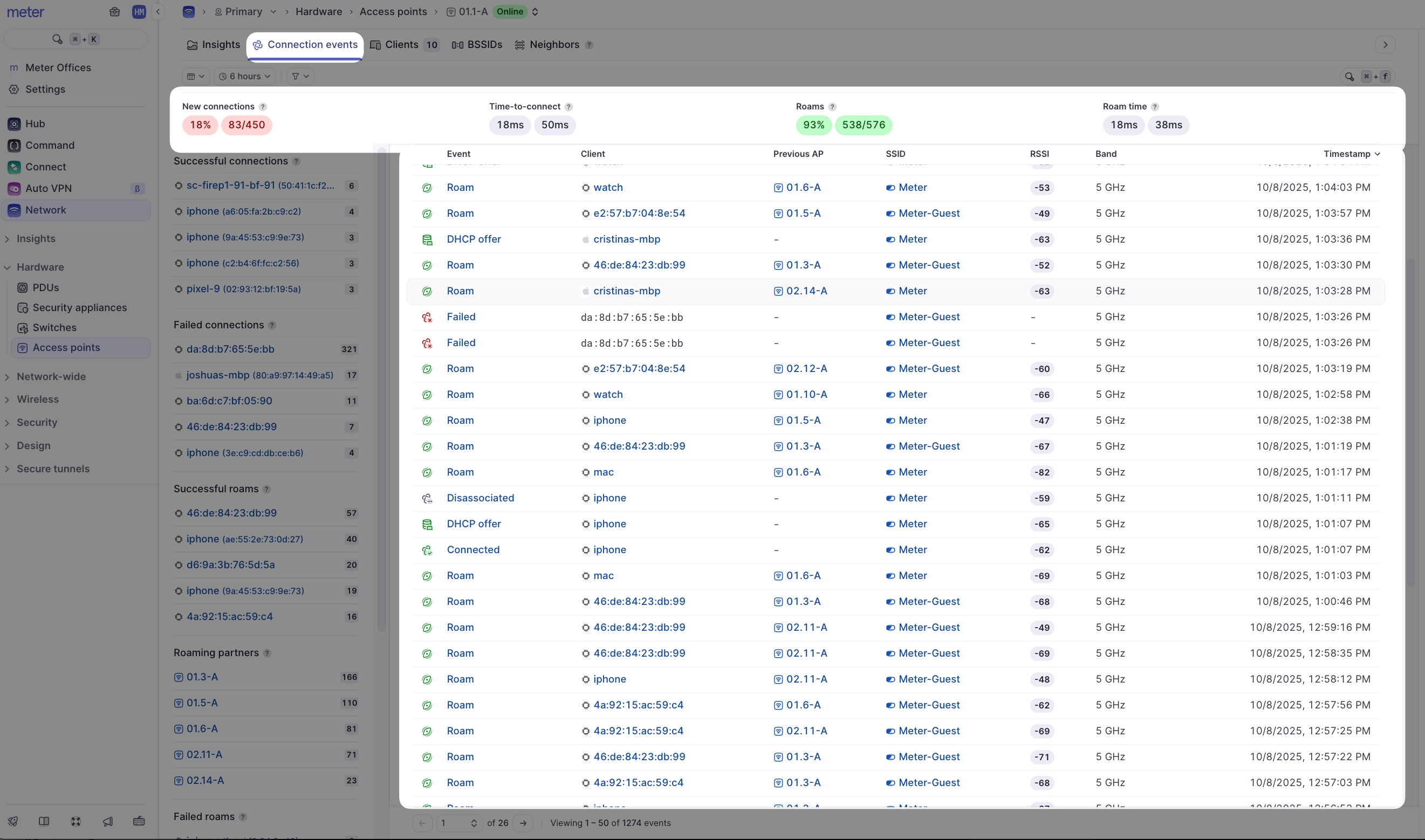
This page is similar to the client's connection events page. However, this page shows only connection events for the particular AP.
If there are any errors listed, click on the error message and hover over the tooltip to see more specific information about the error message.
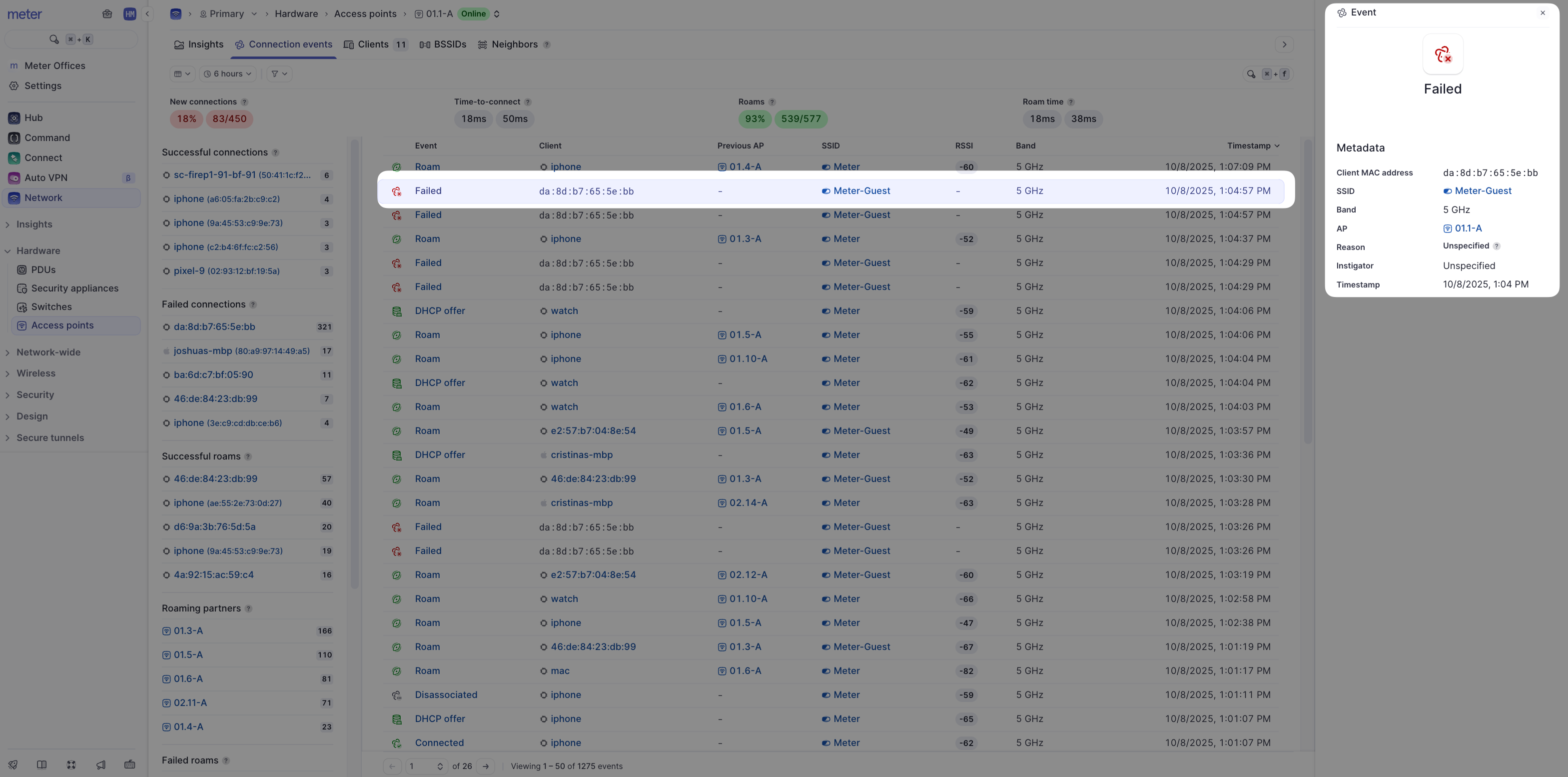
If you are regularly seeing connection issues for specific clients or APs, please reach out to Meter Support for assistance.
Need help?
If you run into any issues or have questions, please reach out to our Support Engineering team by opening a ticket via the Dashboard: https://dashboard.meter.com/support
Last updated by Meter Support Engineering on 01/23/2026