

Overview
Meter Dashboard allows you to configure and receive alerts for network events. When an alert triggers, notifications are sent to your configured receivers via email, Slack, or webhook.Prerequisites
- Dashboard access with Admin or Network Admin permissions
Notification channels
Meter supports three ways to receive alert notifications:Send alerts to individual email addresses or distribution lists
Slack
Send alerts directly to Slack channels or direct messages
Webhooks
Send alerts to custom endpoints for integration with your tools
Setting up receivers
Receivers are individuals or groups who receive alert notifications. You can organize receivers by location, team, or function.Navigate to alert settings
- Log into the Dashboard
- Navigate to Settings > Integrations
- Select the Receivers tab
Add a receiver
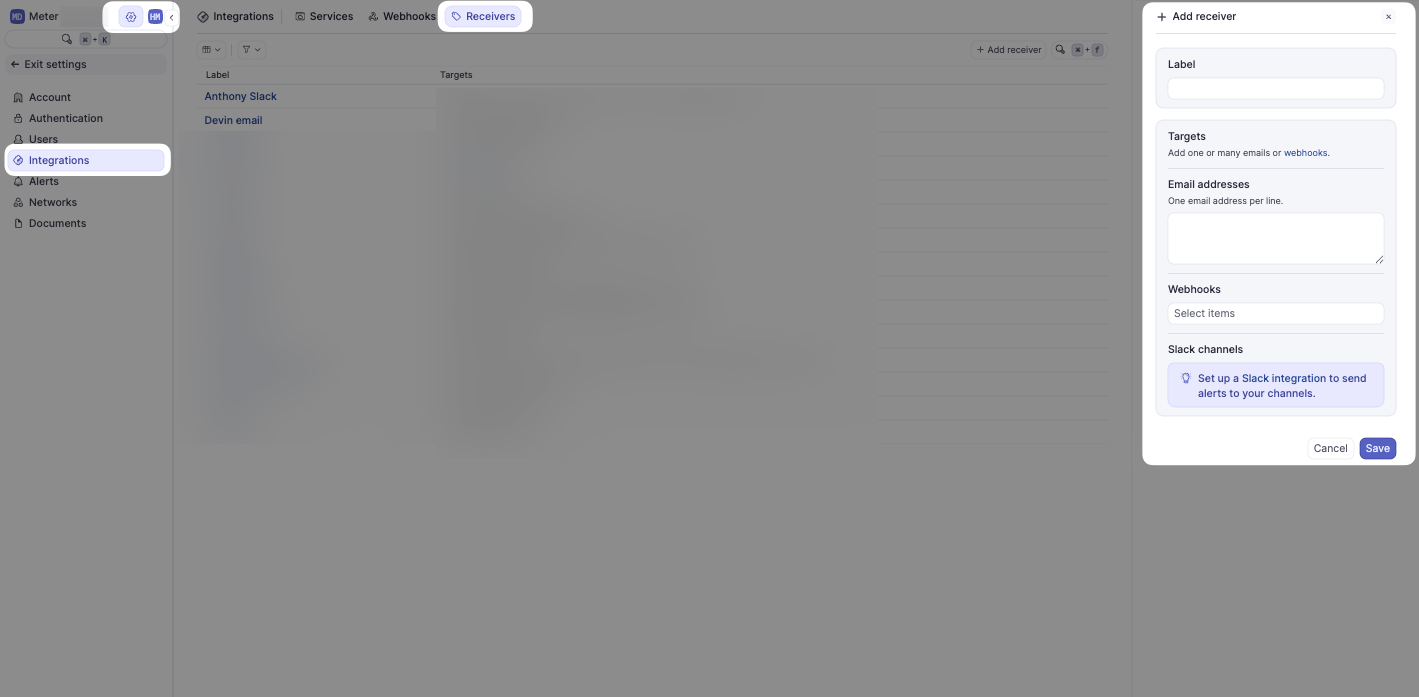
- Click Add Receiver
- Enter a Label - a descriptive name for this receiver (e.g., “IT Team” or “Chicago Office”)
- Add Email addresses - one email address per line for all individuals who should receive alerts
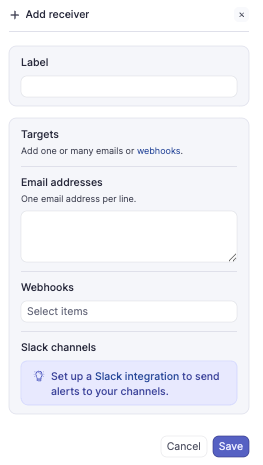
For Slack notifications, see Slack integration. For webhook notifications, see Webhooks.
Creating alerts
Once receivers are configured, you can create alerts for various network events.Add an alert
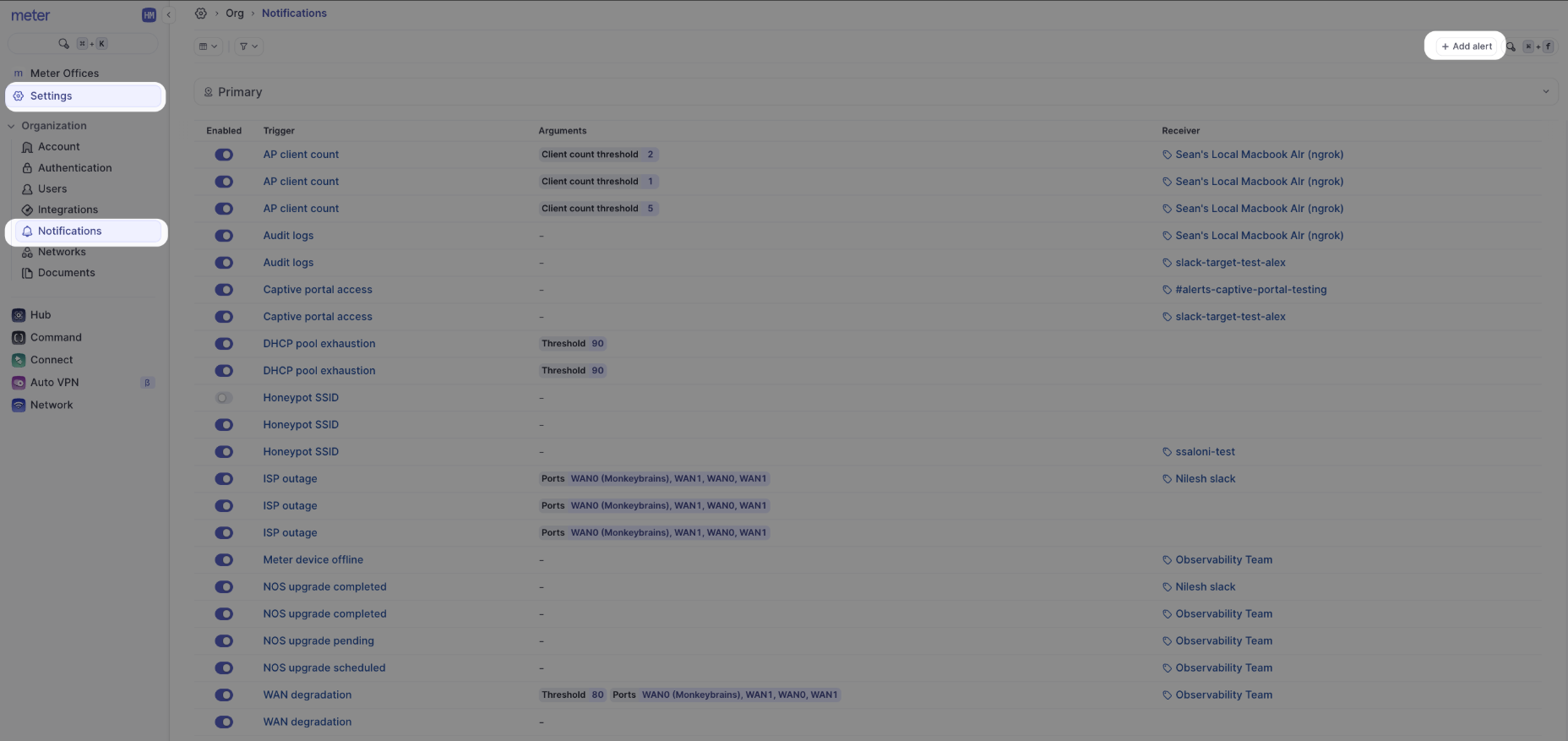
- Navigate to Settings > Integrations
- Select the Notifications tab
- Click Add Alert
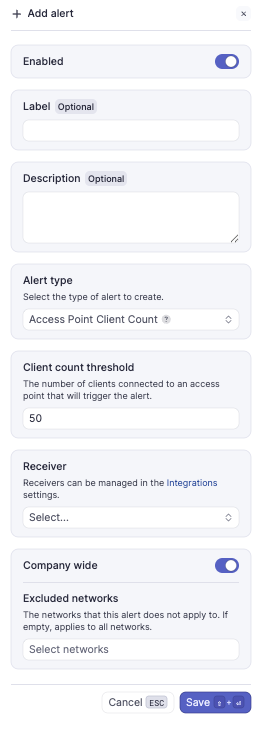
- Configure the alert:
- Enabled - Toggle on by default; can be deactivated later
- Alert Type - Select the type of alert to configure
- Trigger - Select the trigger condition (varies by alert type)
- Receiver - Select the receiver you configured previously
- Company wide - Toggle on to apply the alert to all networks in your company
Alerts marked with β (Beta) are currently in testing and may be subject to changes.
Example alert email
When an alert triggers, receivers get an email with details about the event: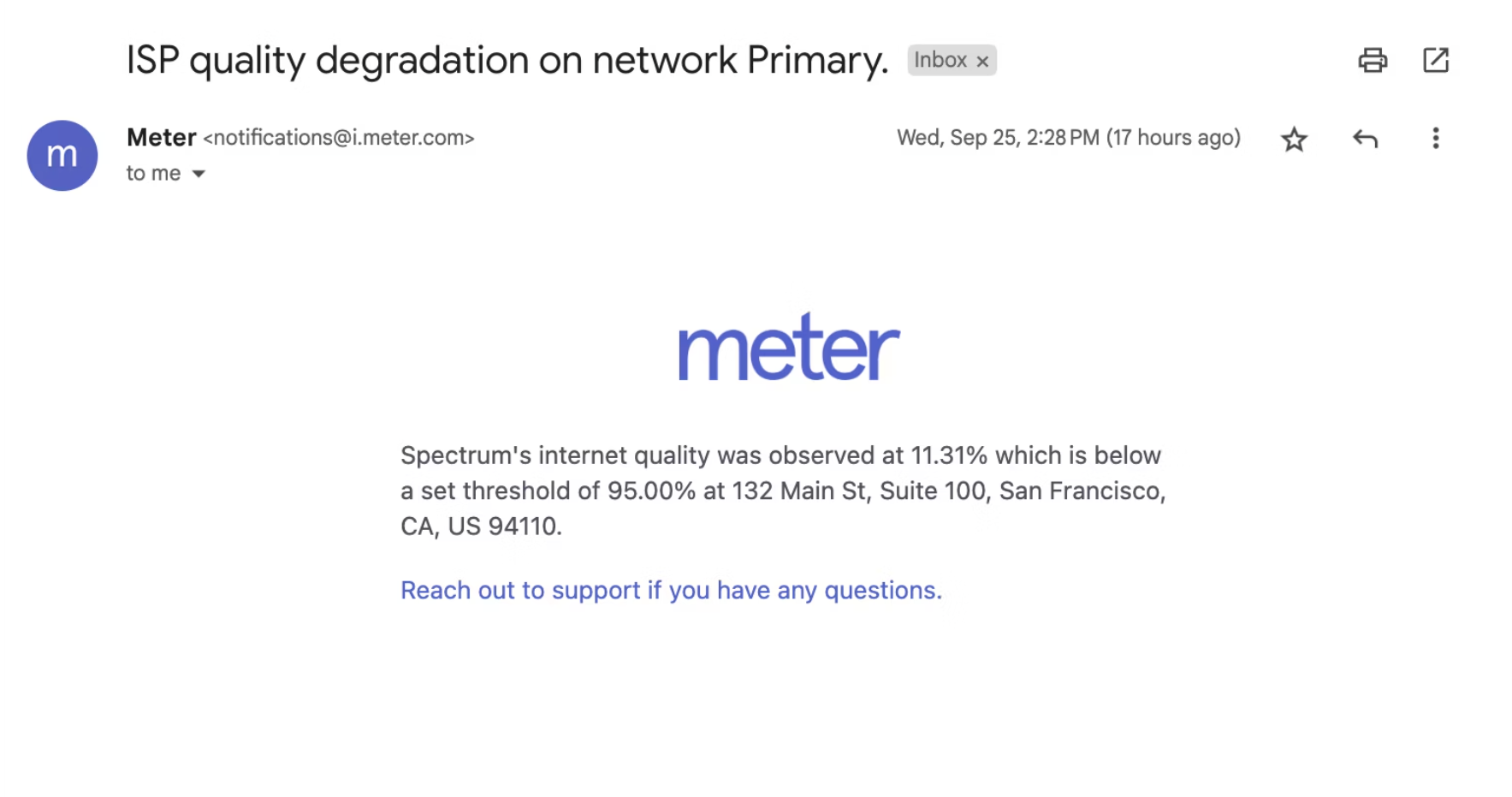
Available alerts
Device alerts
| Alert | Description | Webhook event |
|---|---|---|
| AP client count | Triggers when connected clients exceed a threshold | Payload |
| AP link speed | Triggers when an AP negotiates below 1 Gbps | Payload |
| Audit log | Triggers on configuration changes for compliance tracking | Payload |
| Config flaps | Triggers on repeated configuration changes | Payload |
| Device boot | Triggers when a device boots up | Payload |
| Device offline | Triggers when a Meter device goes offline | Payload |
| High CPU usage | Triggers on sustained high CPU utilization | Payload |
| NOS upgrade | Notifications for scheduled firmware upgrades | Payload |
WAN and ISP alerts
| Alert | Description | Webhook event |
|---|---|---|
| High availability failover | Triggers on HA firewall failover | Payload |
| ISP outage | Triggers when ISP quality drops below 20% | Payload |
| WAN degradation | Triggers when ISP quality falls below a threshold | Payload |
| WAN down | Triggers when all WAN connections are down | Payload |
| WAN flap | Triggers on repeated WAN state changes | Payload |
| WAN status change | Triggers on failover or failback between ISPs | Payload |
| WAN up | Triggers when WAN connectivity is restored | Payload |
Network alerts
| Alert | Description | Webhook event |
|---|---|---|
| Captive portal access | Triggers on captive portal authentication | Payload |
| DHCP pool exhaustion | Triggers when DHCP pool usage exceeds a threshold | Payload |
| IP conflict | Triggers when duplicate IP addresses are detected | Payload |
| RADIUS profile unreachable | Triggers when a RADIUS server cannot be reached | Payload |
| Wireless DHCP failure | Triggers when wireless clients fail to get DHCP | Payload |
Wireless security alerts
| Alert | Description | Webhook event |
|---|---|---|
| Honeypot access point | Triggers when an evil twin AP is detected | Payload |
| Radar hit (DFS) | Triggers when radar is detected on a DFS channel | Payload |
| Rogue access point | Triggers when an unauthorized AP is detected | Payload |
Switch alerts
| Alert | Description | Webhook event |
|---|---|---|
| Port blocked | Triggers when a switch port is blocked | Payload |
| STP error | Triggers on Spanning Tree Protocol errors | Payload |
Meter Support monitoring
In addition to customer-configured alerts, Meter Support proactively monitors critical network events. Our team is automatically alerted and takes action when the following conditions are detected:- Meter device offline
- ISP outage
- WAN connectivity down
Related resources
- Webhooks - Send alerts to custom endpoints
- Slack integration - Send alerts to Slack channels
Need help?
If you run into any issues or have questions, please reach out to our Support Engineering team by opening a ticket via the Dashboard: https://dashboard.meter.com/supportLast updated by Meter Support Engineering on 01/23/2026