Who can modify this feature?
- Partner
- Company/Network Admins with write and read access
- Meter Support
Overview
WAN and multi-WAN configurations can be found under Hardware > Firewalls > Actions menu (⋯) > Edit WAN settings.
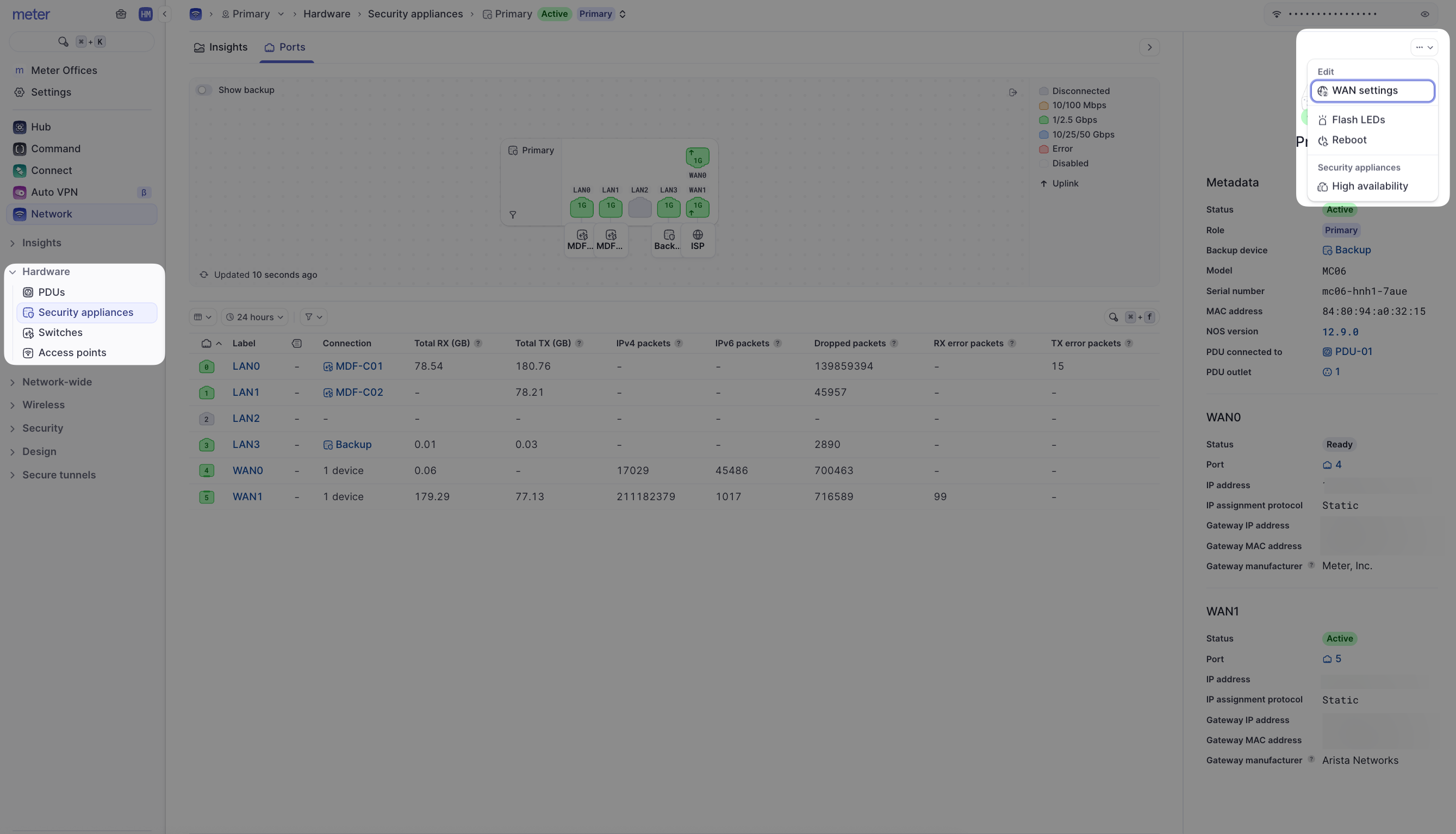
This will reveal the configuration panel.
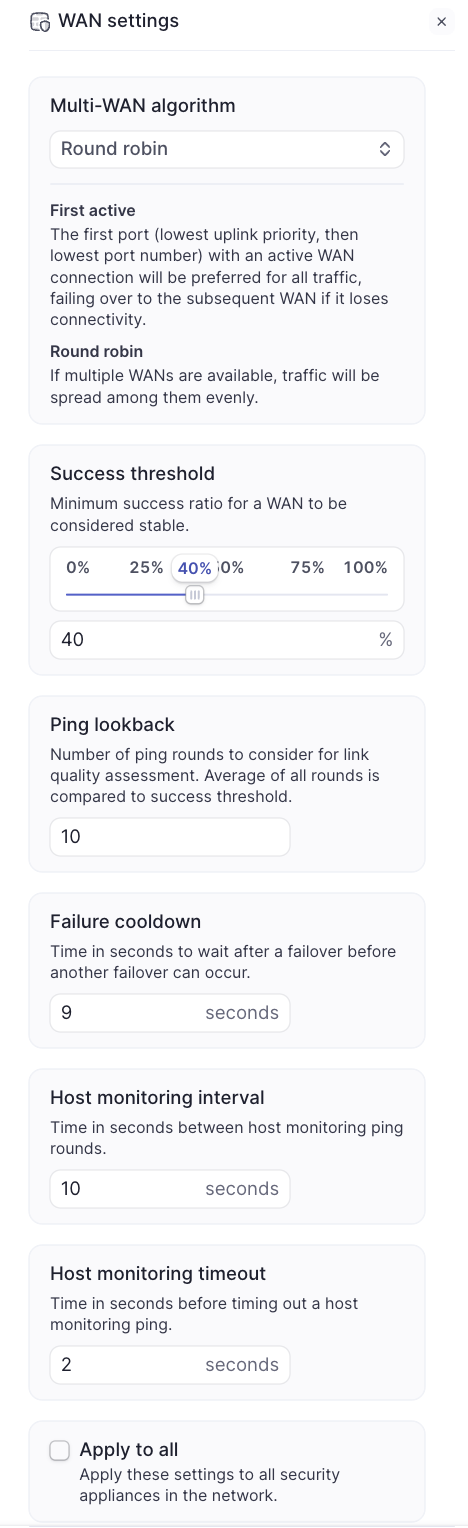
Multi-WAN algorithms
If the Meter Firewall has two active ISP connections, either one of the multi-WAN algorithms can be used:
First active
The first port (lowest uplink priority, then lowest port number) with an active WAN connection will be preferred for all traffic, failing over to the subsequent WAN if it loses connectivity. Link priority can be changed on the Ports page for the Firewall.
Who should use this algorithm?
Most networks. If the ISP connections do not have the same bandwidths available, it is recommended to use first-active.
Failover behavior
In the event of the active ISP going down, all connections will reset as they move over to the secondary ISP. This also happens during the failback to the primary once services are restored.
Round robin
If multiple WANs are available, traffic will be spread among them evenly. Devices with IP addresses ending in an even number route out of one interface. Devices ending with an odd number in their IP address route out of the other.
Who should use this algorithm?
Sites with two ISP connections that have equal upload and download bandwidth connections AND regularly reach bandwidth limitations of a single ISP.
Failover behavior
If a single ISP fails, clients using the failed ISP connection will have their connection interrupted and reset to route out of the functioning ISP. When the ISP connection is restored, the same clients will reset again during the failback. Depending on which ISP fails, it will be clients ending with odd or even numbers that are interrupted.
Other WAN settings
| Setting | Description |
|---|---|
| Success threshold | Minimum success ratio for a WAN to be considered stable. This refers to the "ISP quality" that is reported on the Network Insights page |
| Ping lookback | Number of ping rounds to consider for link quality assessment. The average of all rounds is compared to the success threshold. This alters the calculation used for ISP quality |
| Failure cooldown | Time in seconds to wait after a failover before another failover can occur |
| Host monitoring interval | Time in seconds between host monitoring pings. This alters the calculation used for ISP quality |
| Host monitoring timeout | Time in seconds before timing out a host monitoring ping. This alters the calculation used for ISP quality |
When should these settings be altered?
Typically, Meter Support may recommend altering these settings if an ISP is unstable. This is typical of backup LTE connections, or if there is an upstream issue on an ISP network preventing the Meter Firewall from reaching one of the hosts used for the ping test. Otherwise, the default configuration should remain in place.
Need help?
If you run into any issues or have questions, please reach out to our Support Engineering team by opening a ticket via the Dashboard: https://dashboard.meter.com/support
Last updated by Meter Support Engineering on 01/23/2026