Troubleshooting Client VPN Connectivity
Connecting to the Client VPN breaks overall internet connectivity
This typically occurs if the client VPN connects, but the local computer is no longer able to resolve domain names. To check this:
- Open a Terminal or Command Prompt and run the following commands:
ping 8.8.8.8
ping google.com
If ping 8.8.8.8 returns, but ping google.com returns an error; this indicates that the Domain Name Service (DNS) resolution is not working. Adjust your machine's DNS settings to ensure that it is pointing a reachable DNS server. If you need assistance, contact Meter Support.
Unable to reach a computer on the Meter network
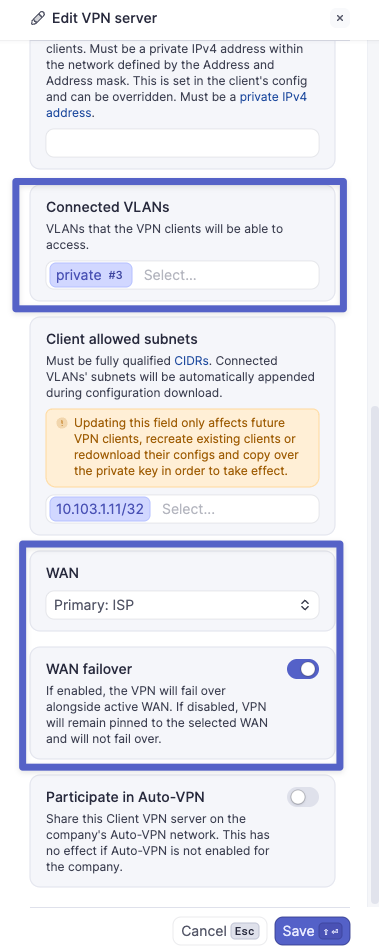
- Confirm the Client VPN server is using an active WAN. In most cases, WAN failover should also be enabled. Also, confirm the needed 'Connected VLAN' is present in the VPN server configuration.
- Confirm that the Wireguard Client is connected. Click on the Wireguard symbol > Manage Tunnels, or open the Wireguard application. The connection should show both data sent and data received.
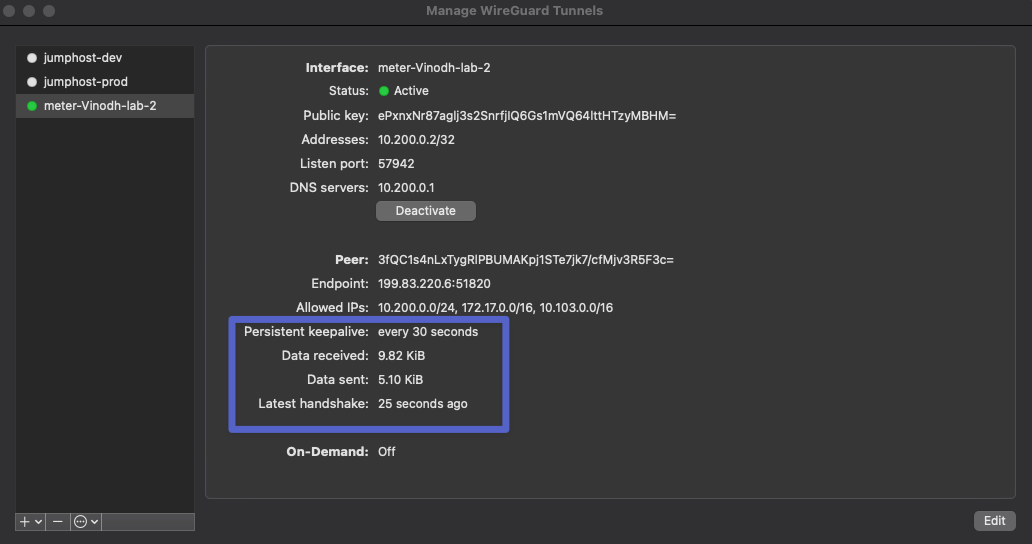
If this is not present, contact Meter Support to continue to troubleshoot. The internet service provider could be dropping the VPN traffic.
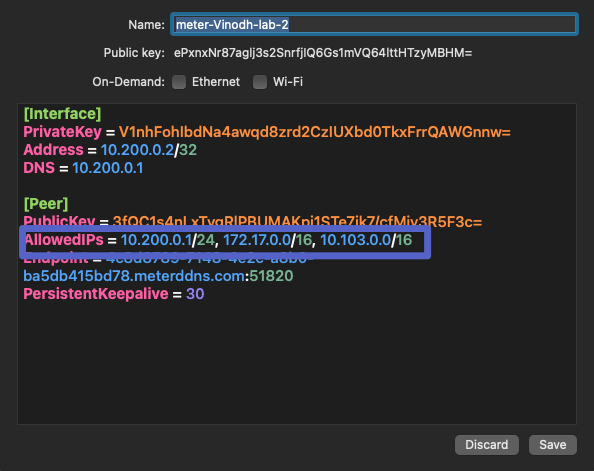
- Confirm all 'Connected VLANs' are present in the Wireguard config file on your device. Click on 'Edit' In the Wireguard application and check the 'AllowedIPs' line. If not present, it is recommended to remove and re-create your VPN profile.
- If issues persist, contact Meter Support to continue to troubleshoot.
Unable to reach a computer across an IPsec tunnel over the Client VPN
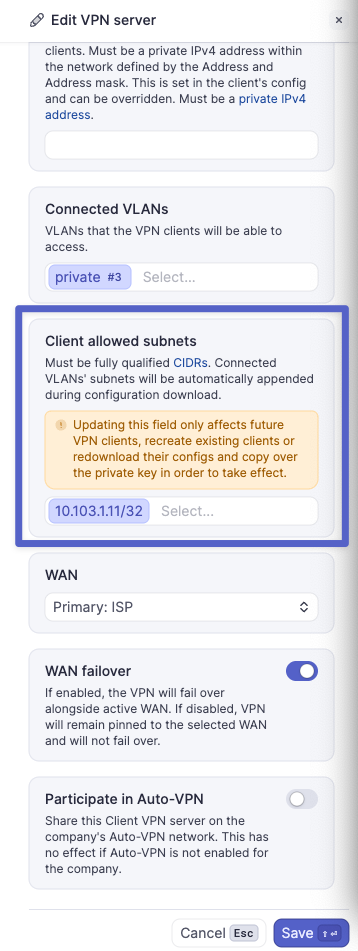
- Ensure that 'Client allowed subnets' contains the remote IPsec network CIDR in Client VPN server settings.
- Ensure the remote end of the IPsec tunnel is configured with the client VPN server subnet as a remote destination.
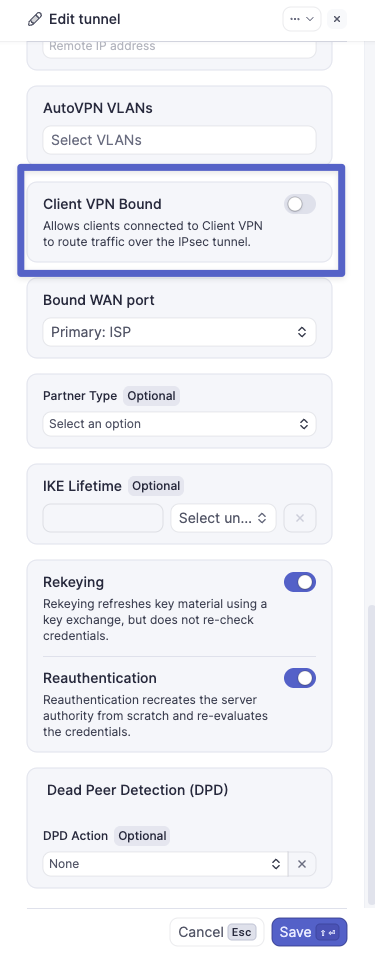
- Ensure 'Client VPN bound' is enabled on the IPsec tunnel. This adds the Client VPN server subnet as a local network.
Unable to reach a computer across an Auto VPN tunnel over the Client VPN
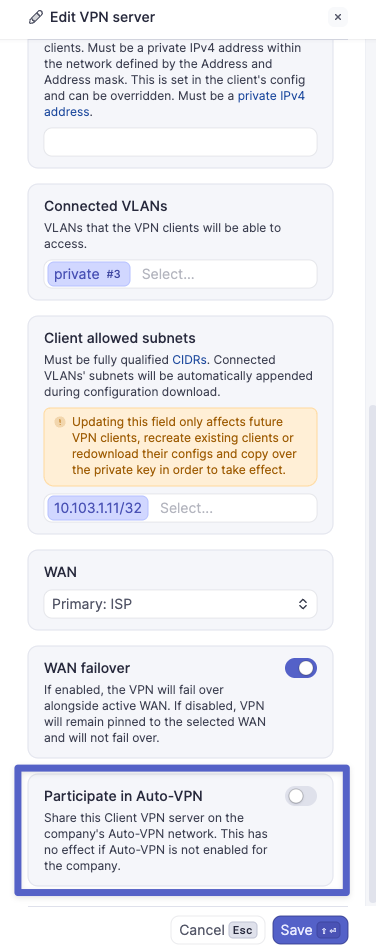
- Ensure that 'Participate in Auto-VPN' is enabled in the Client VPN server settings.
Please don't hesitate to contact Meter Support with questions or if you believe something wasn't covered here.